

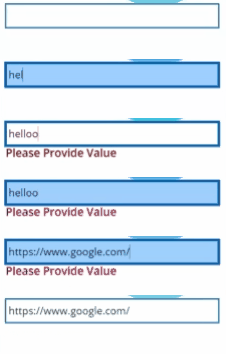
Updated on 4 Sept 2023
A comment from the respected viewer indicates that the results from the original post arent correct. So i did my quick delegence.
Following are the steps
1. Add one Text Input Control (Name: TextInput1)
2. Add one Text Label Control (Name: Label1)
3. Update the Text property of Label Control with PowerFx function as below
If(!IsBlank(TextInput1.Text) && IsMatch(TextInput1.Text,”(https?:\/\/(?:www.|(?!www))[a-zA-Z0-9][a-zA-Z0-9-]+[a-zA-Z0-9].[^\s]{2,}|www.[a-zA-Z0-9][a-zA-Z0-9-]+[a-zA-Z0-9].[^\s]{2,}|https?:\/\/(?:www.|(?!www))[a-zA-Z0-9]+.[^\s]{2,}|www.[a-zA-Z0-9]+.[^\s]{2,})”,MatchOptions.Complete),””,”Please provide the value”)

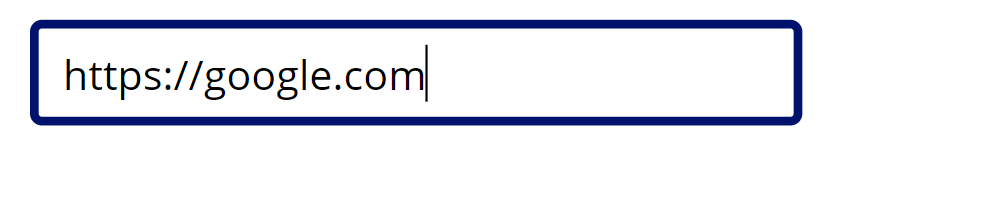
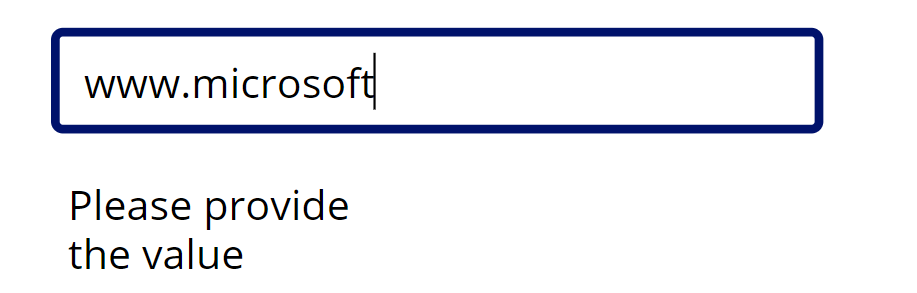
4. You will get the following response


—————————————————————————————————————————-
Old Post
Again i am back with a quick post, I had the validate the following scenario,
I needs to put the validation, “if the URL is entered then only check the URL is valid”.
- Edit form bind to SharePoint List
- A HyperLink SharePoint Value bind to the DataCard.
I have achieve this by doing the following steps
- Validate the URL with Regex, if the URL is filled. So in the “Required” Field for DataCard put the following text
If(!IsBlank(DataCardValue5.Text) && !IsMatch(DataCardValue5.Text, “(?:http(s)?:\/\/)?[\w.-]+(?:.[\w.-]+)+[\w-._~:/?#[]@!\$&'()*+,;=.]”),true,false)

- Error Message if not Valid. Put the Following text in ErrorMessage field “Text” property
If(!IsBlank(DataCardValue5.Text) && IsMatch(DataCardValue5.Text, “(?:http(s)?:\/\/)?[\w.-]+(?:.[\w.-]+)+[\w-._~:/?#[]@!\$&'()*+,;=.]”),””,””)

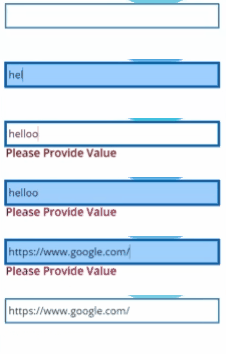
You can see the result in following gif
Check out the following url
https://thatapiguy.tech/2019/09/18/validate-a-url-in-powerapps/, well written quick tip.
 Shakir's Blog
I don’t know if something changed in the last couple years; but this doesn’t work. First of all your article text (which doesn’t validate in Power Apps as valid) doesn’t match the screenshot. If you hand-type the screenshot code it does see it as proper syntax. However, it still allows invalid URLs to be entered (such as just putting ‘h’). It also sees valid URLs such as http://www.google.com as invalid.
Hi s rever,
Its indeed an old article. It did my quick dilegence, please check my updated comments. Thanks for your input really appreciated.